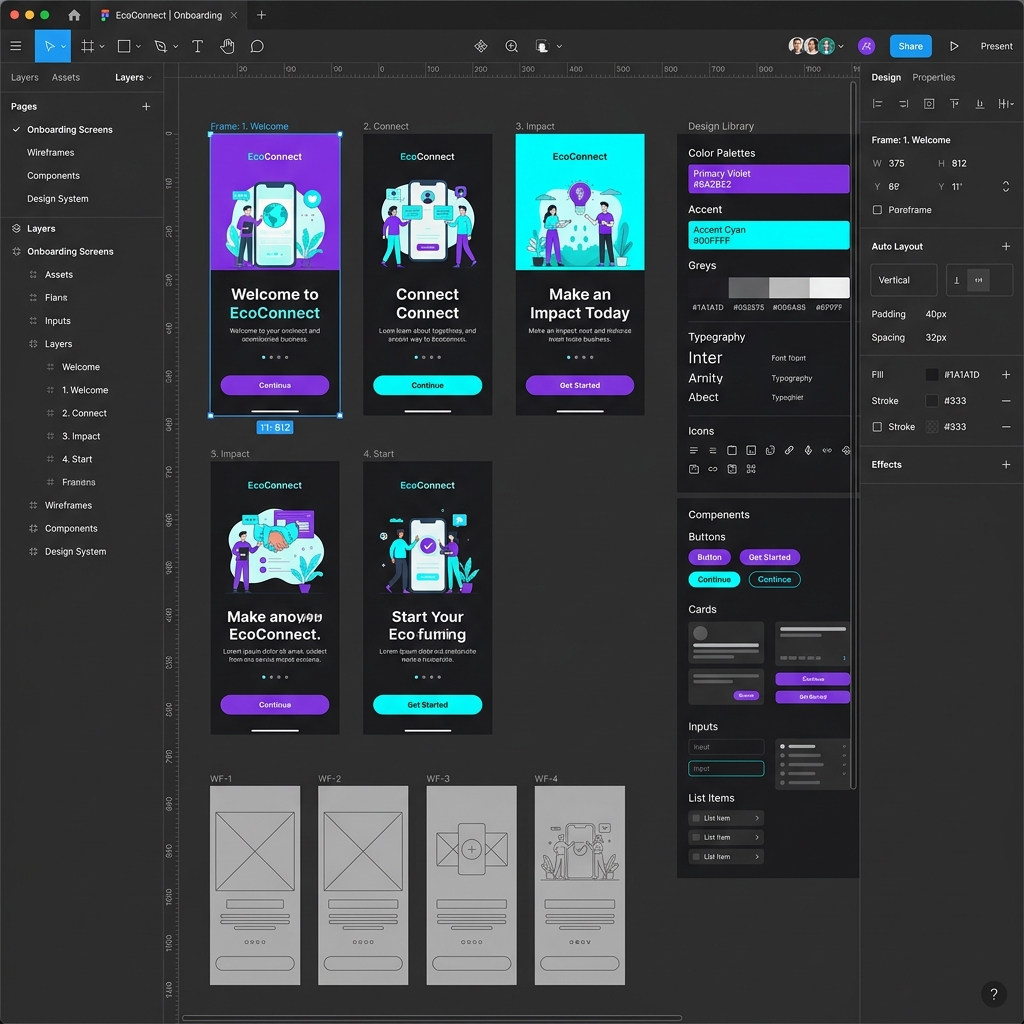
Updated scope, 24 September 2026: A useful roadmap is a sequence of skills and evidence, not a list of software tutorials. Move from user problems and research to flows, interface systems, prototypes, testing, and a case study. Use this page with the UI/UX resume guide and whiteboard challenge guide.
Overview
UI/UX design in 2026 rewards beginners who can think through product problems, not only decorate screens. Strong junior designers usually understand users, map flows, build responsive interfaces, test assumptions, and explain trade-offs clearly. If you follow that order, your learning stays practical and your portfolio becomes more hireable.
Table of Contents
- Key takeaways
- Roadmap breakdown
- Timeline, outputs, and salary signals
- What speeds up or slows down progress
- Step-by-step beginner plan
- Real-world beginner case-study paths
- Common mistakes and myths
- Advanced tips
- FAQs
- Editorial scope
Key Takeaways
Learn workflow before polish
User problem, flow, wireframe, prototype, test, then visual refinement. This order keeps work grounded.
Plan for 4 to 6 months
Most beginners need steady weekly repetition, critique, and portfolio writing before they feel interview-ready.
Ship 2 to 3 case studies
Hiring teams trust complete thinking more than scattered practice files or daily challenge screenshots.
Use testing and accessibility early
Beginners stand out faster when they show usability notes, focus states, readable contrast, and responsive logic.
Detailed Breakdown
1. Foundation layer: visual clarity
Start by learning what makes interfaces easy to scan. That means spacing, alignment, contrast, typography hierarchy, component states, and layout consistency. If you are still fuzzy on role boundaries, read what UI/UX design means and how UI differs from UX before going deeper.
2. UX layer: research and problem framing
Beginners often skip user understanding because polished screens feel more exciting. That shortcut usually hurts portfolio quality. Learn to write a basic problem statement, run short interviews, turn notes into patterns, and map a user journey. NN/g's UX research methods landscape is useful here because it shows that different methods answer different questions.
3. Flow layer: information architecture and wireframes
Once you understand user goals, create task flows and low-fidelity wireframes. This is where navigation, content grouping, and decision points get fixed before you spend time polishing buttons. Many beginner portfolios improve immediately when the wireframe stage becomes visible and documented.
4. Interface layer: responsive UI systems
After structure is clear, move into Figma. In 2026, beginners should understand auto layout, reusable components, variants, and variables because those features push you toward system thinking instead of one-screen thinking. Figma's official guides for auto layout and variables in prototypes are good practice references.
5. Validation layer: testing and iteration
Good UI/UX work is not "done" after mockups. Run simple usability sessions, watch where users hesitate, and change the flow. NN/g's recent Usability Testing 101 guidance is still practical: use realistic tasks, stay neutral, and recruit realistic participants. For qualitative studies, 5 to 8 users often surface the biggest friction points.
6. Career layer: portfolio and storytelling
The final layer is packaging. Your portfolio should show what problem you tackled, what you learned from users, why the flow changed, how the interface evolved, and what you would improve next. If you need help here, use our UX case study guide, portfolio guide, and interview prep guide as companion reads.
Core Beginner Tool Stack
Timeline, Outputs, and Salary Signals
Below is a practical beginner roadmap built for people studying around 6 to 10 focused hours per week. Adjust pace if you already have visual design, content, psychology, or product experience.
| Stage | Weeks | Main Focus | Expected Output |
|---|---|---|---|
| Foundations | 1-3 | Hierarchy, spacing, typography, color, UI states | 3 interface teardowns and 1 redesigned screen |
| Research | 4-6 | Interviews, personas, journey maps, problem framing | One clear product problem with user evidence |
| Wireframes | 7-9 | Flows, information architecture, low-fi exploration | End-to-end user flow and wireframe set |
| System UI | 10-14 | Auto layout, components, variants, variables, responsive design | High-fidelity prototype and starter component library |
| Validation + Portfolio | 15-24 | Usability testing, iteration, case-study writing, mock interviews | 2 to 3 portfolio-ready case studies |
Salary signals are useful, but beginners should read them carefully. Public listings often mix titles such as UI designer, UX designer, product designer, and UX/UI designer. As of May 28, 2026, Glassdoor's India page for UX/UI Designer showed a median total pay around ₹5.3 lakh per year, while AmbitionBox showed a broader all-experience band of ₹2 lakh to ₹14 lakh per year. Use those numbers as noisy market reference, not guaranteed outcomes. For a deeper breakdown, see our full UI/UX designer salary guide.
Is the ISS UI/UX Design programme right for you?
Review the curriculum for research, interface design, and portfolio projects. Compare the learning format, weekly commitment, fees, and support with your goals before applying.
View UI/UX Design curriculum →Factors Influencing Progress
- Feedback quality: Consistent critique speeds progress more than endless tutorials. Beginners improve fastest when someone points out weak flows, unclear hierarchy, and missing rationale.
- Problem choice: Narrow product problems produce stronger portfolios than vague "redesign whole app" projects.
- Research habit: Talking to users early saves time later because it prevents pretty but irrelevant designs.
- System thinking: Learning components and responsive patterns early reduces rework and improves handoff confidence.
- Documentation discipline: Candidates who document why something changed usually interview better because they remember their own reasoning.
Step-by-Step Beginner Plan
- Choose one domain and one workflow. Pick a familiar space like grocery, education, finance, or healthcare. Solve one flow such as onboarding, search, checkout, booking, or profile setup.
- Audit real products before designing. Capture what 3 existing products do well, where they create friction, and which patterns feel reusable.
- Talk to users before polishing UI. Run 5 short conversations with people who resemble the target user. Ask about goals, pain points, and workarounds.
- Sketch the flow, then wireframe it. Create task steps and screen states before color and polish. This is where most structural mistakes surface.
- Build responsive screens in Figma. Use auto layout, components, and variables so the design behaves like a system rather than static artboards.
- Test, revise, and publish the case study. Watch users complete tasks, note confusion, improve the flow, then write a case study with before/after reasoning.
Real-World Beginner Case-Study Paths
Case path 1: E-commerce checkout redesign
This is still one of the best beginner projects because it exposes information hierarchy, form design, error handling, trust, and mobile flow decisions. Baymard's checkout research continues to show how costly UX friction can be. Their 2025 write-up notes a global average cart abandonment rate of 70.19%. That does not mean every checkout project is good by default, but it does mean you can ground your redesign in a real business problem.
Start with one painful checkout flow, not a full store redesign
Strong beginner work often improves one high-value user action. For checkout, focus on guest flow clarity, field grouping, payment trust, and error recovery.
- Document 3 friction points from live competitor audits
- Rebuild form states for mobile and desktop
- Run short task tests and capture hesitation moments
Useful reminder: small UX decisions affect real business outcomes.
Case path 2: First-time user onboarding
Onboarding is excellent for beginners because it combines copy, hierarchy, progressive disclosure, empty states, and trust. If you redesign a financial or learning app onboarding flow, show where users drop context, what choice overload looks like, and how the new flow reduces effort.
Case path 3: Portfolio project in Figma
If you are still building confidence, start with focused Figma projects for beginners. The best ones are not random landing pages. They are realistic product tasks with mobile and desktop layouts, reusable components, and a working prototype.
Common Mistakes and Myths
- Myth: UI/UX means learning one design tool. Reality: Tools help, but product reasoning is what makes work useful.
- Mistake: Jumping to high-fidelity screens too early. Pretty UI can hide broken flows.
- Mistake: Writing case studies like feature lists. Portfolios need problem, decision, evidence, and iteration.
- Myth: More projects always beats better projects. Two strong case studies beat ten thin ones.
- Mistake: Ignoring accessibility. W3C's WCAG 2.2 additions made areas like focus visibility, target size, and accessible authentication even harder to ignore.
Advanced Tips / Expert Insights
- Design with states, not screens. Always show loading, empty, success, error, and edge cases.
- Study accessibility as usability, not compliance only. Material Design's accessibility guidance is a strong bridge between theory and UI decisions.
- Use AI as accelerator, not author. It can help ideate, summarize notes, and generate rough directions, but you still need to validate choices with users.
- Write better handoff notes. Explain interaction states, spacing logic, content rules, and responsive behavior so developers do not have to guess.
- Choose one niche if job hunt feels noisy. Fintech, e-commerce, SaaS, healthcare, and education each reward different depth. Domain focus makes your portfolio feel less generic.
FAQs
Can I learn UI/UX without coding?
Yes. You do not need to code before starting. But you should understand how interfaces respond to screen size, content length, states, and accessibility constraints because those decisions affect implementation quality.
How long does it take to become job-ready in UI/UX?
For many beginners, 4 to 6 months of steady practice is realistic. Faster progress usually depends on feedback quality, not raw hours alone.
Which tool should beginners learn first in 2026?
Figma remains the default first choice because it covers wireframes, design systems, prototyping, collaboration, and basic dev handoff in one place.
How many portfolio projects do I need?
Usually 2 to 3 good case studies are enough for junior applications. Each should show research, flow design, interface craft, and iteration.
Should I learn UI first or UX first?
Learn them together, but start with UX questions slightly earlier. Beginners often get stuck because they polish visuals before proving user value.
Do I need a design degree?
No. A strong portfolio, clear thinking, and solid communication usually matter more than formal degree labels for entry-level roles.
Will AI replace beginner UI/UX designers?
AI will change the workflow, especially for drafts and exploration. It does not remove the need for research judgment, prioritisation, interaction design, accessibility decisions, and business context.
Editorial scope
This article provides an editorial learning guide, not a survey of hiring outcomes. Examples illustrate approaches to practice; they do not predict employment or pay.
Conclusion / Next Steps
Best beginner UI/UX roadmap in 2026 is simple: learn fundamentals, study users, design flows, build systems, test with real people, and publish thoughtful case studies. If you do those six things in order, your portfolio will look more mature than most beginner work.
Next step: pair this roadmap with our best UI/UX design course guide if you are comparing structured learning options, or go straight to the ISS UI / UX Design program if you want live critique and a cohort path.
Need help turning this roadmap into weekly action? Talk to admissions and map your current level, target role, and portfolio gap before you commit to a course.
Talk to Admissions →