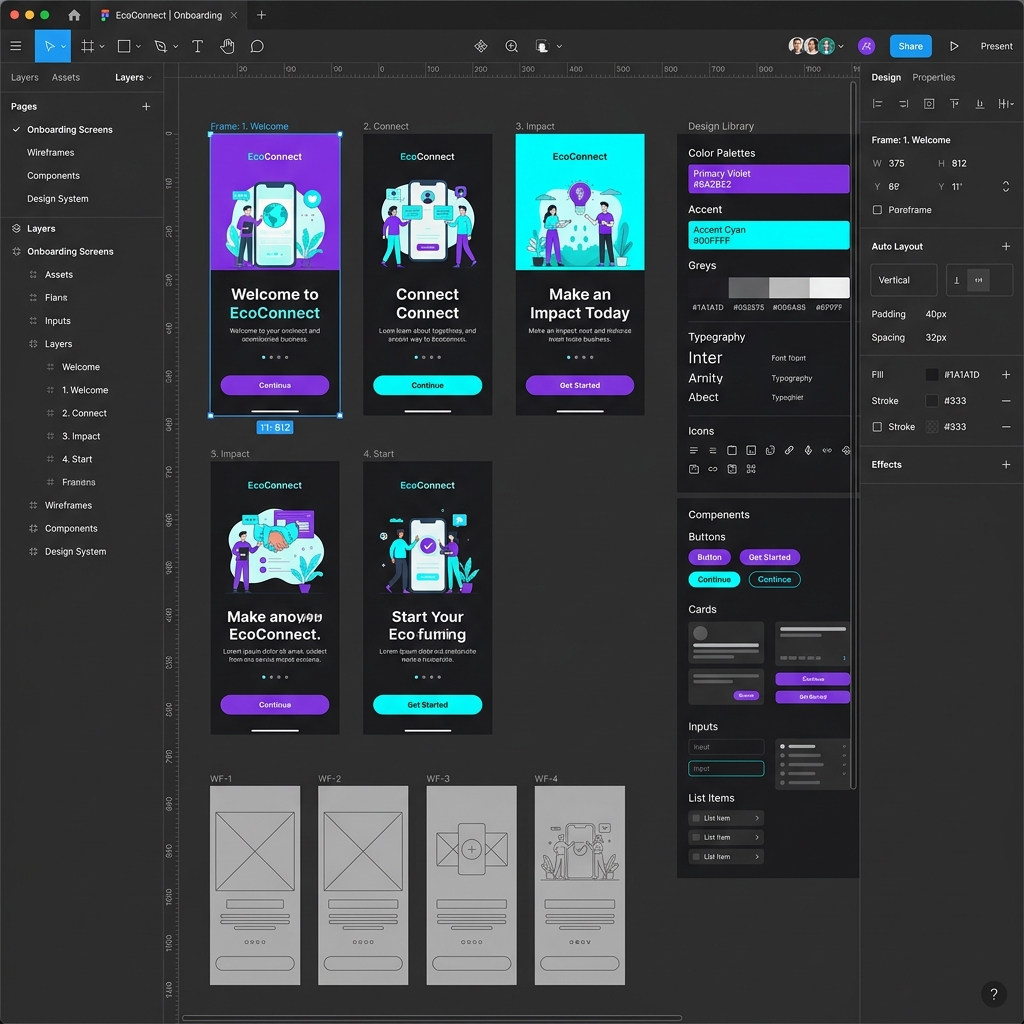
Updated scope, 24 September 2026: Design-tool comparisons age quickly. Check each vendor’s current product documentation, export options, collaboration model, and team workflow before treating a feature list as a recommendation.
Overview
The battle of UI design tools has been fierce over the last decade. A few years ago, comparing Figma vs Adobe XD was a difficult conversation, as both tools offered unique advantages. Today, understanding what UI/UX design is also means understanding the tools that power the industry.
Figma's browser-first approach revolutionized how designers collaborate, pushing it to the forefront of product design. While Adobe XD remains a capable vector-based tool, its development has slowed down significantly in recent years. For someone just starting their UI/UX roadmap, knowing which tool to master can save you months of frustration.
Table of Contents
- Key takeaways
- Detailed breakdown: Features compared
- Pricing and Accessibility
- Factors influencing your choice
- Common mistakes and myths
- Advanced tips
- FAQs
- Editorial scope
Key Takeaways
Industry Standard
Figma is currently the undisputed industry standard for UI/UX teams globally.
Collaboration
Figma's real-time, browser-based multiplayer is vastly superior to XD's cloud syncing.
Design Systems
Figma's variables and auto-layout make building complex, responsive systems much easier.
Cost to Learn
Figma's free tier is fully featured for beginners, whereas Adobe XD requires a paid subscription.
Detailed Breakdown: Features Compared
Collaboration & Handoff
Figma was built for the browser. This means you can send a link to a developer, product manager, or client, and they can instantly view the design, leave comments, and inspect code—without installing any software. Adobe XD requires users to sync files to Creative Cloud and share specific links for review, which often feels clunky in comparison. If you're building Figma projects for your portfolio, the ability to easily share a live link is a huge advantage.
Prototyping & Animation
Adobe XD historically had an edge with its Auto-Animate feature, which made complex transitions easy to build. However, Figma has since caught up and surpassed XD with interactive components, variables, and advanced prototyping logic. While XD is still very capable of basic wireframing and high-fidelity mockups, Figma allows you to build prototypes that feel much closer to the final coded product.
Design Systems & Auto Layout
Creating responsive designs is critical. Figma's Auto Layout is incredibly powerful, acting very much like CSS Flexbox. It allows components to grow, shrink, and reflow as content changes. Adobe XD has "Responsive Resize," which works decently for simple scaling, but lacks the granular control and systemic power of Figma's Auto Layout. If you're learning the difference between UI and UX, mastering Auto Layout in Figma bridges the gap between static UI and usable UX.
Plugins and Community Ecosystem
Figma's community is arguably its biggest moat. The sheer volume of free UI kits, templates, icon sets, and plugins—including top AI tools for designers—is staggering. Adobe XD has plugins, but the ecosystem is much smaller and less active.
Pricing and Accessibility
For a beginner, cost is a major factor. Let's look at how the tools compare economically.
| Feature / Tool | Figma | Adobe XD |
|---|---|---|
| Starter Plan | Free (Up to 3 collaborative files) | Not available (Requires CC Subscription) |
| Professional Plan | ~$12 - $15 / month | ~$9.99 / month (Standalone, if available) |
| Platform Support | Mac, Windows, Linux, Browser | Mac, Windows (Desktop Only) |
| Community Assets | Massive, free, built-in | Limited, external |
Because Figma is free to start, it's highly recommended that you take a Figma course rather than investing money upfront in an Adobe subscription just to learn the basics.
Is the ISS UI/UX Design programme right for you?
Review the curriculum for research, interface design, and portfolio projects. Compare the learning format, weekly commitment, fees, and support with your goals before applying.
View UI/UX Design curriculum →Factors Influencing Your Choice
- Your Employer's Stack: If you join an agency deeply entrenched in Adobe Creative Cloud (using Illustrator, Photoshop, and After Effects daily), they might still use Adobe XD. Otherwise, expect Figma.
- Your Budget: Figma is free for individuals learning the ropes.
- Your Operating System: If you use Linux or a Chromebook, Figma is your only option since it runs in the browser.
Common Mistakes and Myths
- Myth: "I need to learn both tools to get hired." Reality: You don't. Mastering one tool (Figma) deeply is much better than knowing both tools on a surface level. The concepts (components, constraints, grids) transfer easily.
- Mistake: Designing everything from scratch. Whether you use Figma or XD, beginners often ignore community UI kits. Use existing design systems (like Material Design or Apple HIG) to understand how professionals structure their files.
- Myth: "Tools make you a good designer." Reality: A great designer can make an amazing app in MS Paint. Focus on user research, empathy, and problem-solving first.
Advanced Tips / Expert Insights
- Learn keyboard shortcuts early. Whether it's Figma or XD, speed comes from muscle memory. For Figma, press
Ctrl + Shift + ?to see the keyboard shortcuts menu. - Structure your files for handoff. Developers hate messy files. Create dedicated pages for "Exploration," "Ready for Dev," and "Archive."
- Embrace Auto Layout immediately. Do not resist Figma's Auto Layout. It has a learning curve, but once it clicks, it will cut your design time in half.
FAQs
Is Figma better than Adobe XD in 2026?
For most UI/UX teams, yes. Figma has become the industry standard due to its browser-based real-time collaboration, advanced Auto Layout, and extensive community plugins, whereas Adobe XD has seen reduced developmental focus.
Is Adobe XD still being used in 2026?
Yes, but mostly by legacy teams or agencies deeply embedded in the Adobe Creative Cloud ecosystem. New product teams almost exclusively adopt Figma.
Can I open Figma files in Adobe XD?
There is no native way to open Figma files directly in Adobe XD, but you can export assets as SVGs or use third-party conversion tools, though some complex components may break.
Which tool is better for beginners: Figma or Adobe XD?
Figma is better for beginners because it's free to start, browser-based, and has a massive community that offers free templates, UI kits, and educational resources.
Do I need to pay for Figma or Adobe XD?
Figma offers a very generous free tier that is perfect for beginners and solo freelancers. Adobe XD requires a paid Adobe Creative Cloud subscription.
Editorial scope
This article provides an editorial learning guide, not a survey of hiring outcomes. Examples illustrate approaches to practice; they do not predict employment or pay.
Conclusion / Next Steps
If you're starting your journey in 2026, the choice is straightforward: Learn Figma. It is the definitive tool for modern product design. Adobe XD is a capable piece of software, but dedicating your time to mastering Figma will yield a much higher ROI for your career.
If you're ready to dive in, check out our guide on the best UI/UX design courses in India or apply directly to the ISS UI / UX Design program to start building real-world projects today.
Still not sure where to start? Talk to our admissions team to figure out if you need tool-specific training or a comprehensive design education.
Talk to Admissions →Check product support before committing
Adobe states that XD is in maintenance mode. Factor that status into any decision to start a new learning path or project. If a team already uses XD, discuss file access, handoff, and migration needs before changing its workflow.
Reference: Adobe XD Help, checked on 23 September 2026.